 OtoPosi
One place for tab and Windows-app volume
Browser extension and Windows app
Every sound,right here.
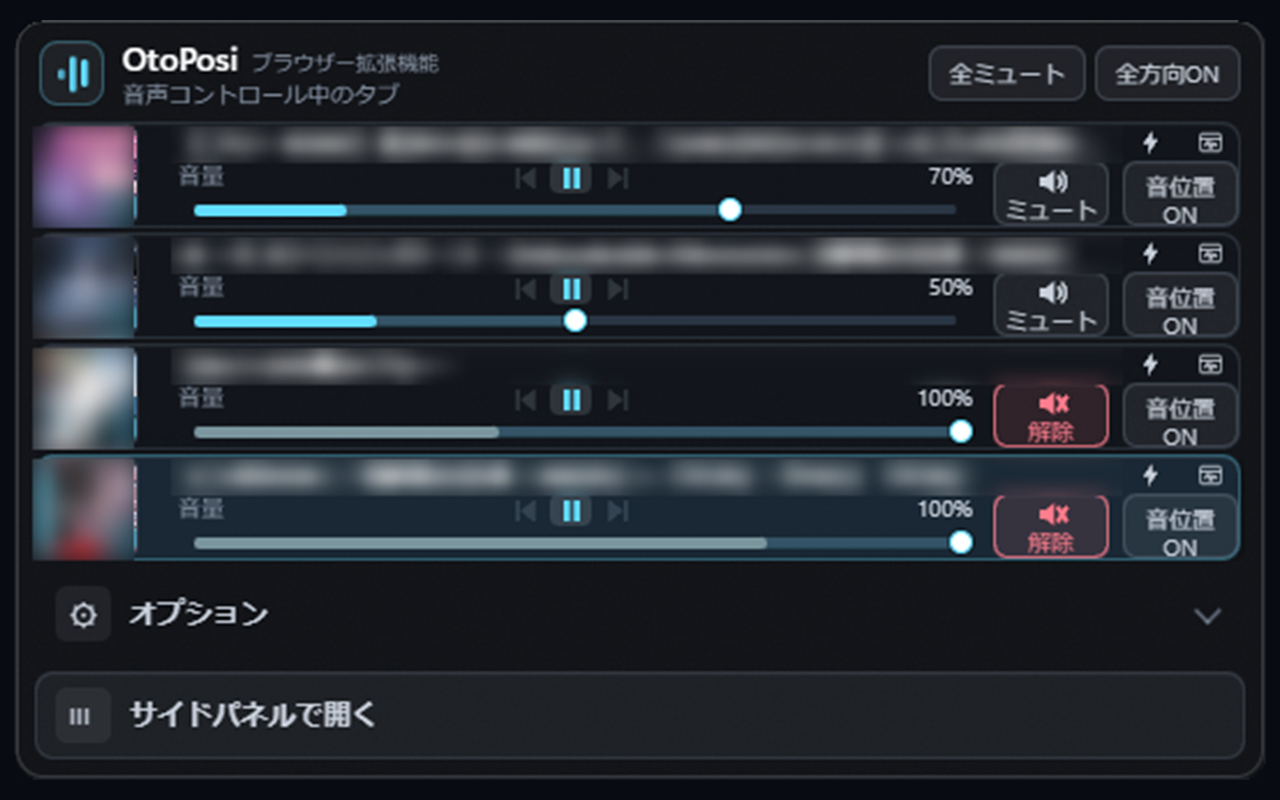
Find the tab playing sound and adjust its volume without switching between tabs. Bring videos, music, and streams into one mixer, then balance them to hear each one more clearly.
The extension manages browser tabs; the Windows app manages app audio. Use either on its own, or connect them to control both from the Windows app.
Available on Microsoft Store
Bring Windows appsinto the mix
Control volume and mute for games, calls, videos, and other apps in one place. Connect the free browser extension to manage tab audio in the same window.
Get it from Microsoft Store↗Windows 10 (version 2004 or later) / 11 · x64
Getting started
Start with the extension for tab audio, or use the Windows app on its own for app audio.
Add the extension
Install OtoPosi from the Chrome Web Store in Chrome, Edge, or Vivaldi. Pin or show OtoPosi on the toolbar from the browser extensions list so it is easy to open.
Open a tab with audio
Play a video or some music, then open OtoPosi. Review the first-run information and choose “Consent and start” when you are ready. Adjust each tab from the popup or side panel.
Add Windows apps when useful
Install and open OtoPosi from Microsoft Store on the same PC. Keep the extension enabled to bring browser tabs into the Windows mixer alongside app audio.
Both interfaces support English and Japanese. Choose EN under Options → Language.
Standard video and music are detected automatically. For whole-tab audio, including games, choose “Tab audio”. If prompted, activate the target tab and click the OtoPosi toolbar button to complete the switch.
Features at a glance
All extension features are free, and the Windows app includes its basic features for free. Optional Windows features are available through OtoPosi Pro, a one-time in-app purchase.
| Feature | Browser extension | Windows app |
|---|---|---|
| Volume and mute | ExtensionControl each tab | Windows Control each app, plus tabs when the extension is connected |
| Playback controls | ExtensionPlay, pause, previous, and next for supported media | Windows Play, pause, previous, and next for supported media |
| Jump to the source | ExtensionGo straight to the source tab | Windows Go to a matching app window or linked tab |
| Volume boost | ExtensionBoost compatible tab audio up to 200% | Windows Boost compatible linked-tab audio up to 200% |
| Sound position | ExtensionAdjust left/right tab-audio balance to match the browser window position | Windows ProAdjust left/right balance for apps and linked tabs to match their window positions |
| Audio visualization | ExtensionA live audio meter for each tab | Windows Live audio meters and a standard visualizer that moves with the audio ProCustomize visualizer style, color intensity, and smoothness |
| Audio Focus | Extension— | Windows ProTemporarily lower the volume of apps and linked tabs you are not using |
| Display options | ExtensionDark and Light themes, plus a side panel | Windows Dark and Light themes, transparency, and Always on top |
Playback controls work with supported media. Managing tabs from the Windows app requires the extension. Sound position uses left/right stereo balance; vertical positioning and HRTF processing are not included.
OtoPosi Pro pricing and purchase details
OtoPosi Pro is an optional one-time upgrade. You can keep using the free features without purchasing it.
- Open the Windows version of OtoPosi installed from Microsoft Store.
- Choose “⚙ Options” → “OtoPosi Pro” → “Upgrade to Pro”.
- Review the price and details shown in the Microsoft Store purchase dialog before completing a purchase.
Browser extension and Windows app